For Developers · Dashboard
Dashboard Overview
What each part of your service dashboard shows you.
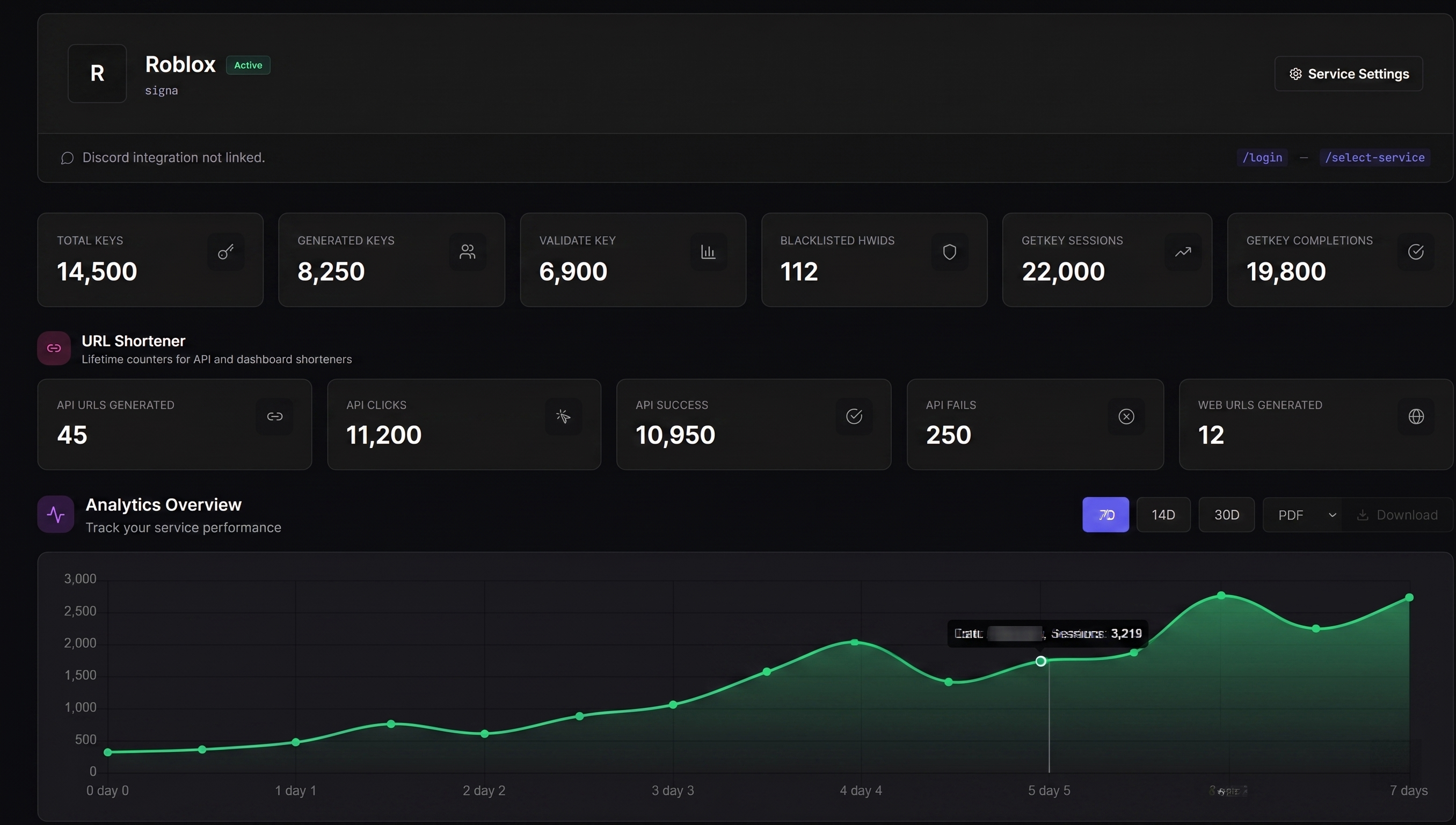
Stats cards
The top of your service dashboard shows four numbers at a glance:
Total Keys
All keys ever created for this service.
Active Keys
Currently valid, non-expired keys.
Validations Today
Key validations in the last 24 hours.
Unique Users
Distinct HWIDs that have used the service.
API key
Each service has its own API key for external integrations (Discord bots, custom dashboards). There's a copy icon to grab it, and a regenerate button. Regenerating invalidates the old key immediately if it's ever compromised.
GetKey link
The public URL your users visit to obtain a key, in the form /getkey/{identifier}. Share it directly, or have your script open it automatically.
Charts & analytics
Graphs show validation trends, key-generation history, and a geographic map of your users. Toggle between 7, 14, and 30-day views.
Tip