For Developers · Kryptic Vault
Telemetry
Telemetry is the per-execution log for every script you upload to Kryptic Vault. Every time your script runs on a user's device, an entry is added to the telemetry table — date, Roblox user, game ID, executor, script, and HWID. It's how you know what's actually being run, where, by whom, and on which executor environment.
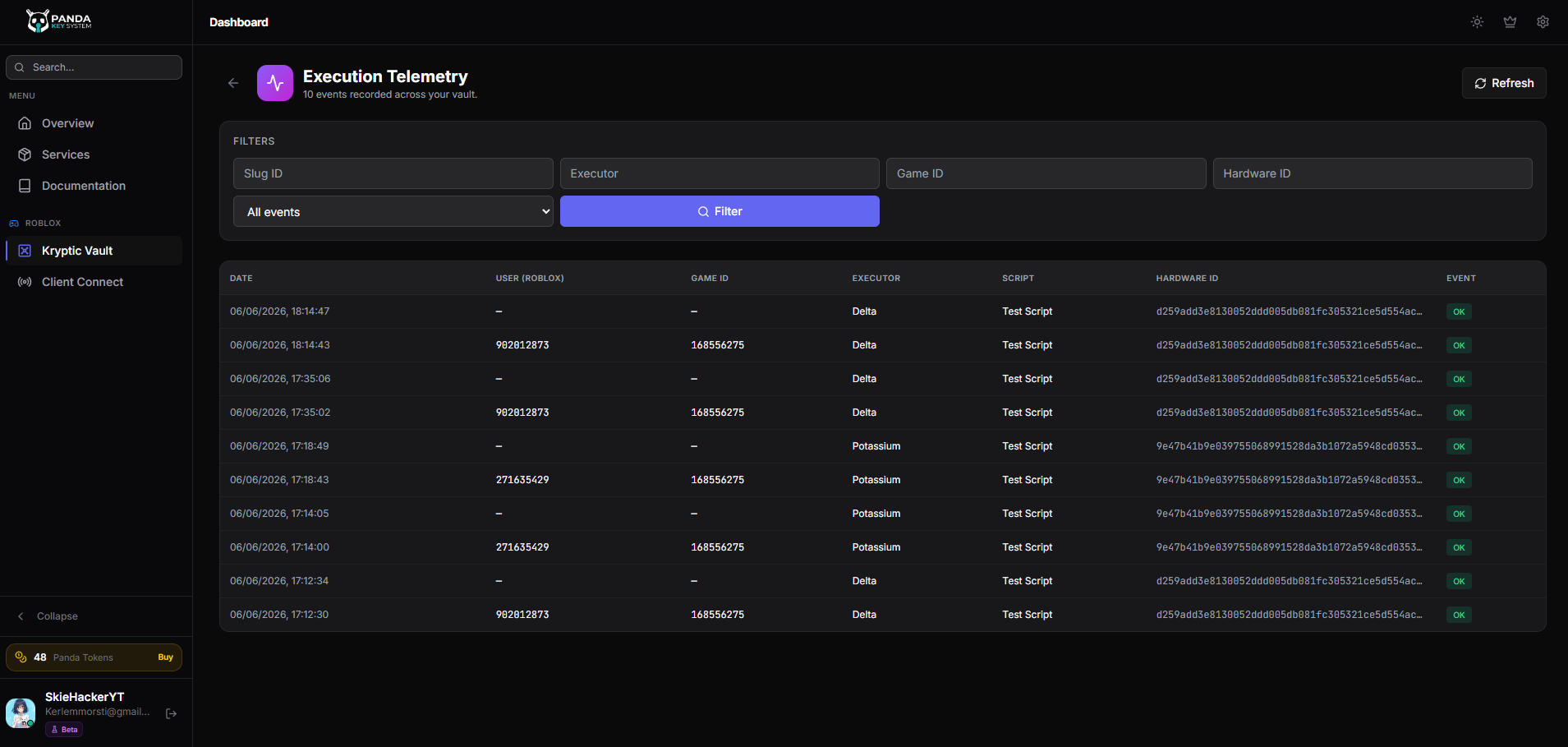
What gets logged
Every execution of a Kryptic-served script produces a telemetry row with this information:
- Date / Time — when the script executed.
- User — the Roblox user that triggered the execution.
- Game ID — the Roblox place ID the script ran inside. Useful for understanding which game your script is being used in.
- Executor — which Roblox executor environment was used (Synapse, Krnl, Fluxus, and so on).
- Script — which of your uploaded scripts ran.
- HWID — the device fingerprint of the user's machine.
Why telemetry matters
Telemetry answers questions you can't easily answer any other way:
- Is my script actually being used? A flat telemetry chart means users hit your key flow but never executed the script. Worth investigating.
- Which game is driving my traffic? If the same game ID dominates your telemetry, that's where your audience actually is — useful for targeting marketing.
- Which executors do my users run? A surge in executions from a particular executor might mean you need to test compatibility there more carefully. A drop might mean that executor's user base moved elsewhere.
- Is one user running my script abnormally often? High-frequency executions from a single HWID can flag automation or testing-tool usage.
- Did a code change break execution? A sudden drop after a script update is the fastest way to know your latest version is failing on real devices.
How to use the telemetry view
The telemetry page shows every execution as a row in a searchable, sortable table. Filter by script, by date range, by executor, or by Roblox user to narrow down. Sort by date to see the most recent executions first, or by executor to spot environment-specific issues.
Best practice
Telemetry is automatic for Kryptic-served scripts