For Developers · Kryptic Vault
Kryptic Vault Overview
Kryptic Vault is the next-generation Virtual Storage system for Roblox Lua scripts. Upload your Lua source, configure obfuscation, and Kryptic serves it through a single loadstring URL that runs inside a hardened, encrypted loader. It replaces the legacy VSS system and is the recommended way to ship Lua scripts to your users.
What Kryptic Vault does
Instead of sharing a raw .lua file that anyone with the link can read, copy, or reuse — you upload your script to Kryptic Vault. The vault stores it server-side, obfuscates it through the obfuscator you pick, and exposes it as a single loadstring URL. Your users execute the loadstring; the obfuscated, hardened script runs inside a loader that resists tampering, dumping, and most off-the-shelf bypass tools.
Compared to the legacy VSS, Kryptic adds:
- Stronger obfuscation — Luraph integration plus community-built obfuscators (Lua-Crack, Dead-Secure, WeAreDevs / Prometheus).
- Loader-side protections — Heartbeat checks, AI optimization, Silent Mode for fail-safe behaviour, and other anti-tamper features.
- Auto-backup to Google Drive — every time you change your script.
- Init Script (2nd Script) — split your loader from your actual UI, so the second script runs only after the first triggers it.
- Telemetry — track every execution with user, game, executor, and HWID data.
How to open the vault
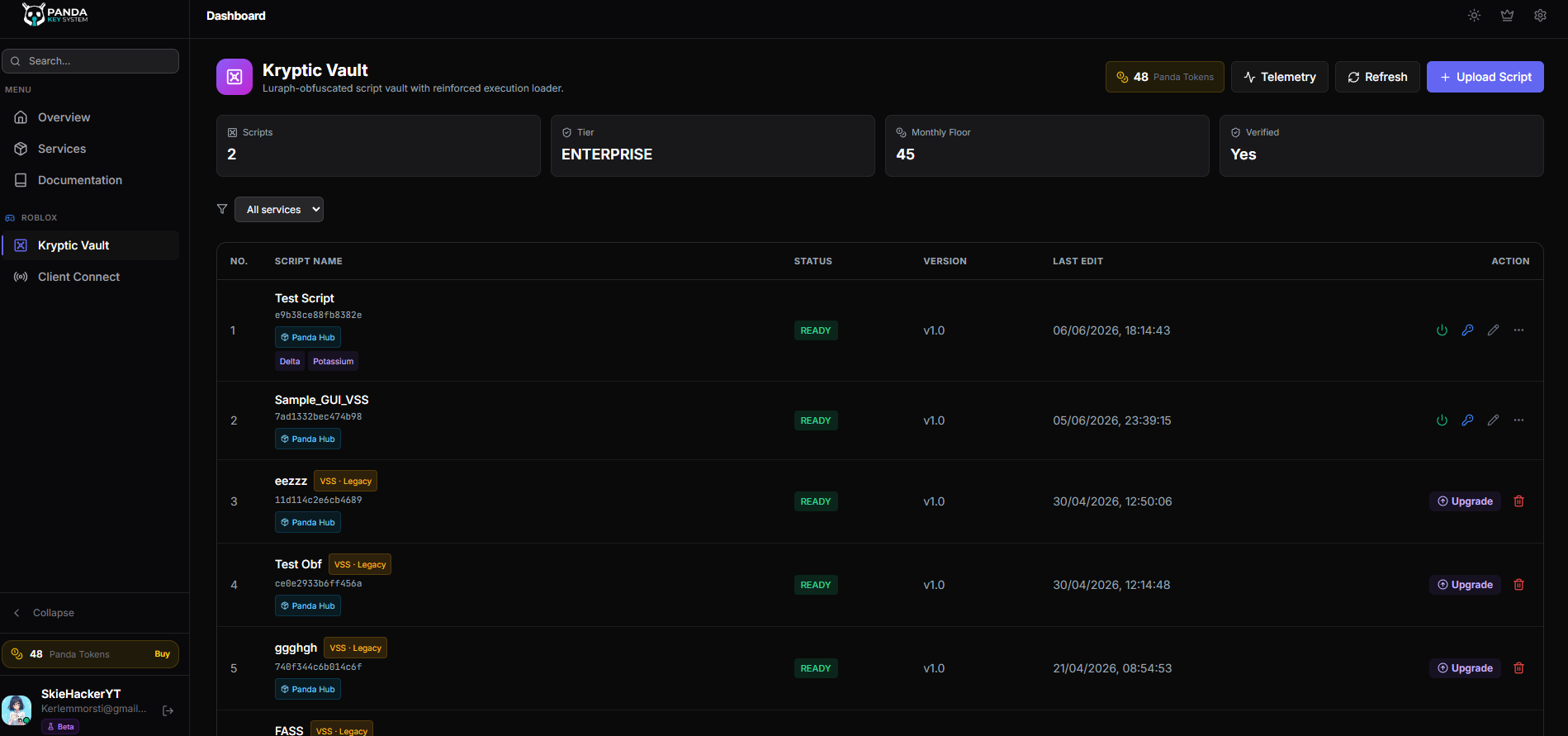
The Kryptic Vault page lives at pandauth.com/dashboard/vault. Open it from your sidebar (Vault icon) or navigate directly. The vault dashboard shows every script you have uploaded with quick actions to edit, replace, delete, and view telemetry.
When to use Kryptic vs legacy VSS
- Use Kryptic for new uploads. It is the recommended path for everything going forward — better obfuscation, better loader, better telemetry.
- Use Legacy VSS only when you need backwards compatibility with executors or library versions that don't yet support the Kryptic loader. The Compatible Mode page in this section covers the migration path.
Roblox-Lua only
Sub-pages in this section
- Upload & Obfuscation — walk through uploading a script and configuring the obfuscator.
- Panda Tokens — how tokens work for vault-served scripts.
- Loader & Execution — what the runtime loader does, how it protects your script.
- Compatible Mode (Legacy VSS) — migrating from old VSS uploads to Kryptic.
- Telemetry — monitor execution of your uploaded scripts.