For Developers · Monetization & Growth
Service Ads
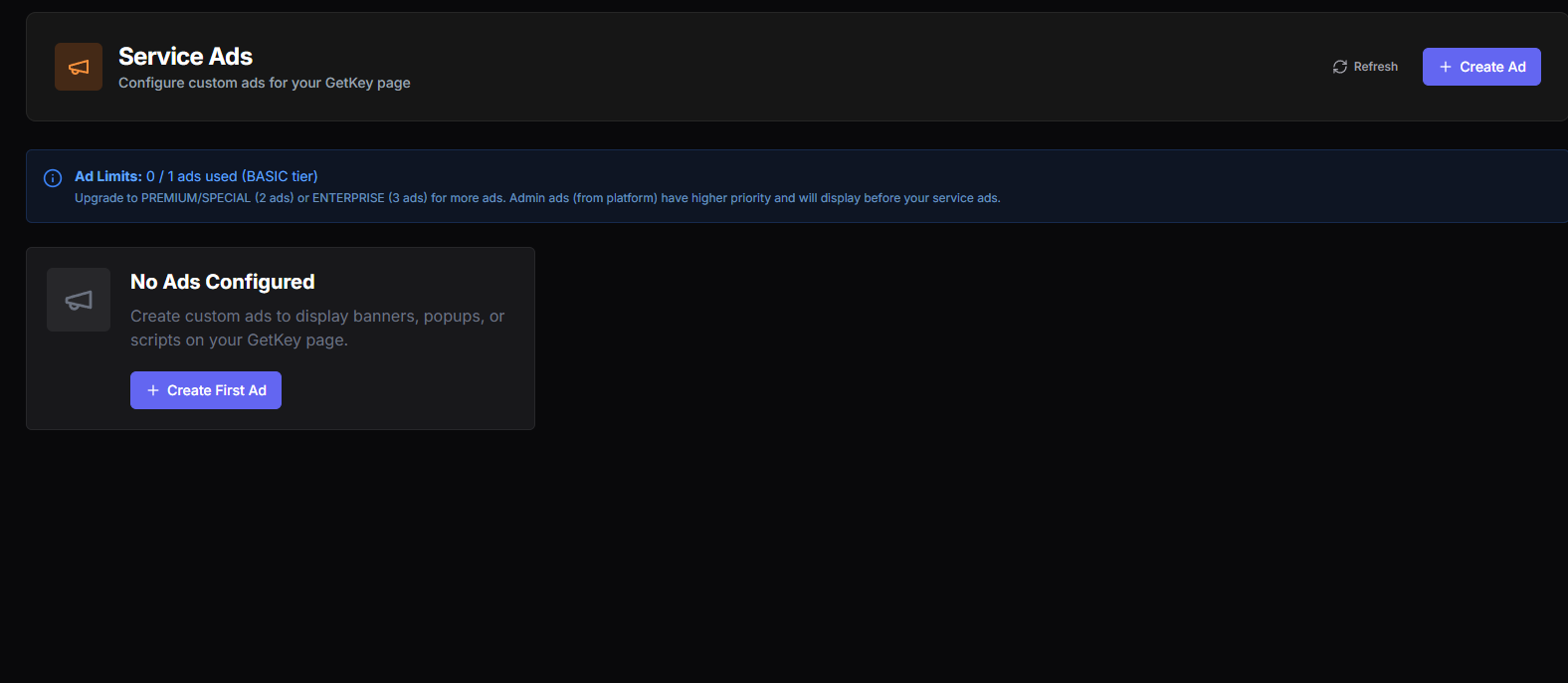
Service Ads lets you place your own ads on your service pages — banners, popups, custom HTML or JS — so you earn revenue every time a user visits your get-key page. Different from checkpoint monetization (which happens during the key-earning flow), Service Ads is passive: ads load with the page, you get impressions, you collect the payout from whichever ad network you wired in.
How it works
Most ad networks (Google AdSense, AdMaven banners, propeller-style providers, custom HTML/JS snippets) give you an embed code — an HTML or JavaScript snippet you copy from their dashboard. Service Ads takes that snippet and injects it into your get-key page automatically.
The injection is flexible — banner ads, popup overlays, script-based ad units, any format the ad provider supports. As long as you can paste the embed code, Panda Auth will render it on your page.
Ad slots available per tier
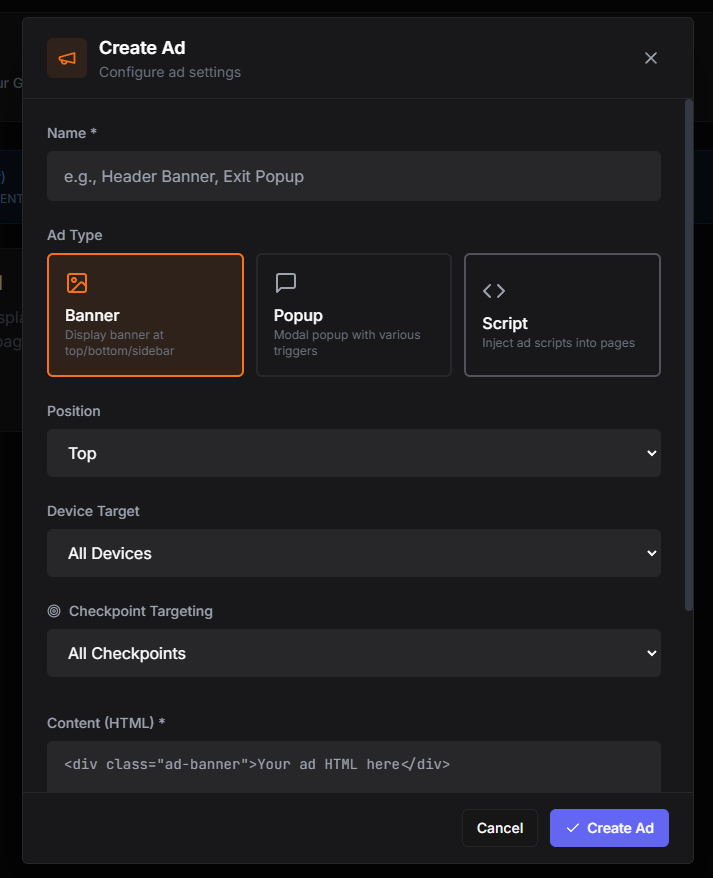
The number of ads you can run at once depends on your account tier:
- Free plan — 1 ad slot.
- Premium / Special plan — 2 ad slots.
- Enterprise plan — 3 ad slots.
Why the limits exist
Ad placements
- Banner — static HTML at a fixed position: Top of page, Bottom of page, or Sidebar. Best for traditional display ad networks that serve banner units.
- Popup — modal that appears with configurable triggers (on page load, on scroll, on exit-intent) and frequency (once per session, once per day, every visit). Higher impression value but more disruptive — use sparingly.
- Script — raw HTML or JavaScript injection. For custom ad units, interstitials, or anything that does not fit the banner or popup formats. Most flexible, but you are responsible for making sure the script behaves and does not break your page.
Setting up an ad
The flow is the same regardless of which ad network you use:
- 1. Get the ad code from your network. Most networks give you a snippet under "Embed", "Integration", or "Get code" in their dashboard.
- 2. Pick the placement (banner, popup, or script) and position in Panda Auth.
- 3. Paste the snippet into the HTML field.
- 4. Save. The ad goes live on your get-key page immediately. Visit your own page to verify it renders correctly.
Service Ads vs Monetization checkpoints
These are two different revenue streams, and they stack:
- Monetization checkpoints earn you payouts when users complete ad-wall steps to get a key. Active engagement, higher payout per completion.
- Service Ads earn you payouts based on page impressions and clicks. Passive, smaller per-impression value but adds up across all visitors regardless of whether they complete the key flow.
Use both
Test the page after every ad change