For Developers · Monetization Ads Provider
Short-Jambo
Short-Jambo is a quick API-key setup. The dashboard is mostly in Arabic — use your browser's built-in translate to read the menus if needed. The path is Tools → Developer API → copy your API key.
Language note
Most of the Short-Jambo dashboard is in Arabic. Right-click anywhere in the page and choose Translate to English (Chrome, Edge) or use Google Translate. The screenshots below show the English-translated version.
Before you start
If you do not have a Short-Jambo account yet, sign up at short-jambo.com. If you already have an account, log in and head to the dashboard.
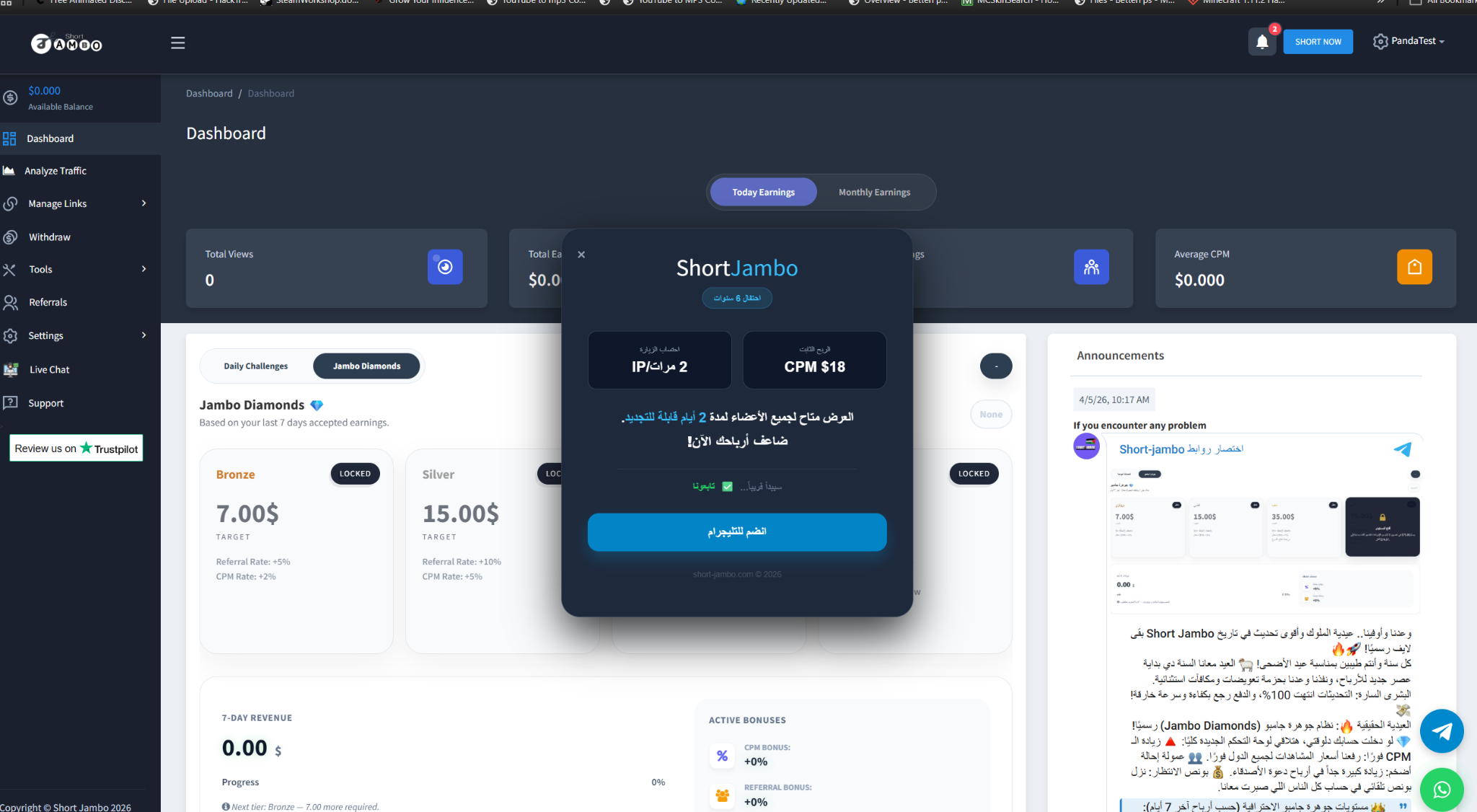
Step 1 — Open the Short-Jambo dashboard
Step 2 — Open Tools → Developer API
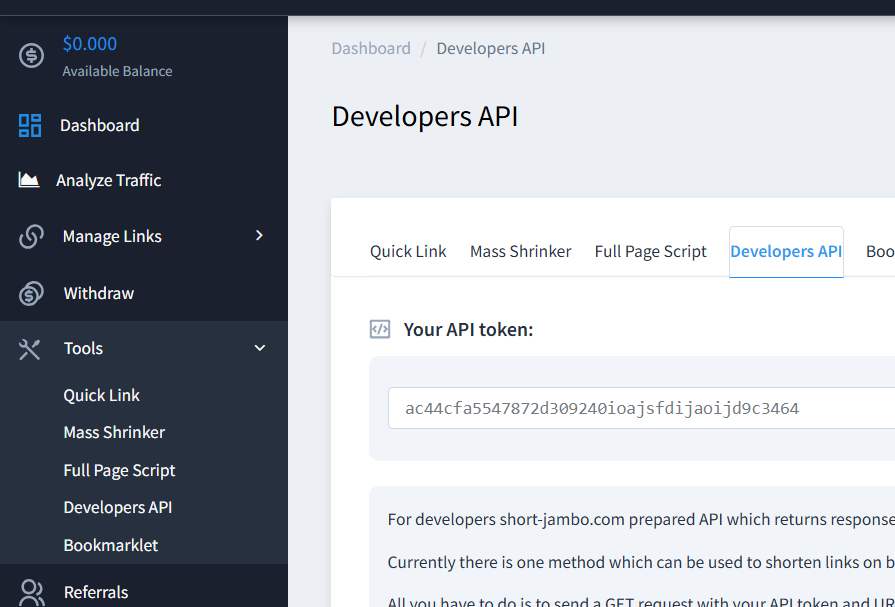
In the sidebar, navigate to Tools → Developer API. Copy your API key from this page.
Step 3 — Paste into Panda Auth and save
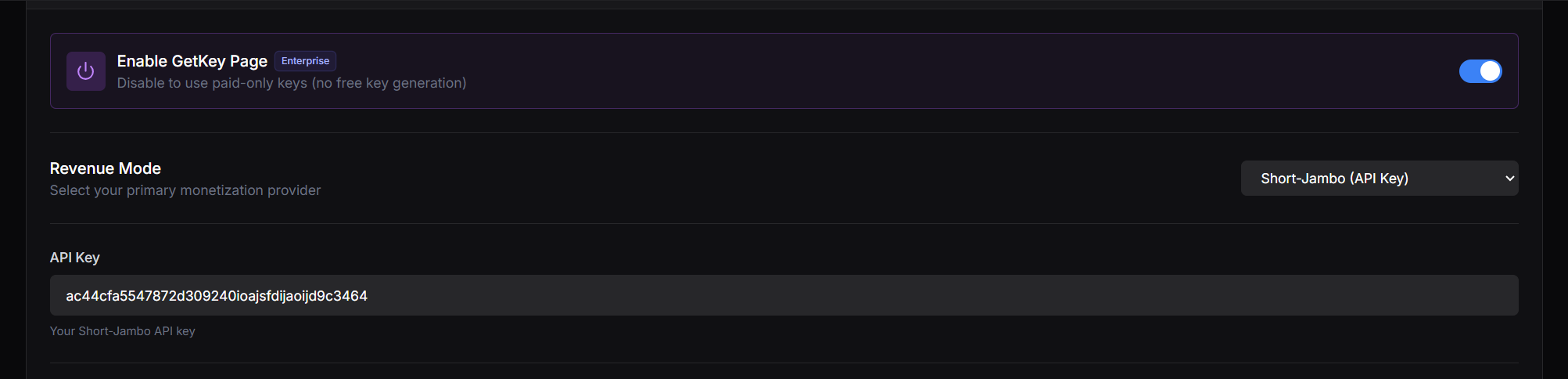
Back in Panda Auth, go to Monetization Settings → Revenue Settings, select Short-Jambo from the Revenue Mode dropdown, paste your API key, and click Save Changes.
Done
Short-Jambo is now your active provider.