API Reference
API Key Permissions
API Permission lets you scope your service's API key — limiting what actions it can perform and which IP addresses are allowed to use it. Both settings exist for the same reason: if your API key ever leaks, the damage is bounded by whatever permissions and IPs you allow. Limit aggressively and a leaked key becomes almost useless to whoever found it.
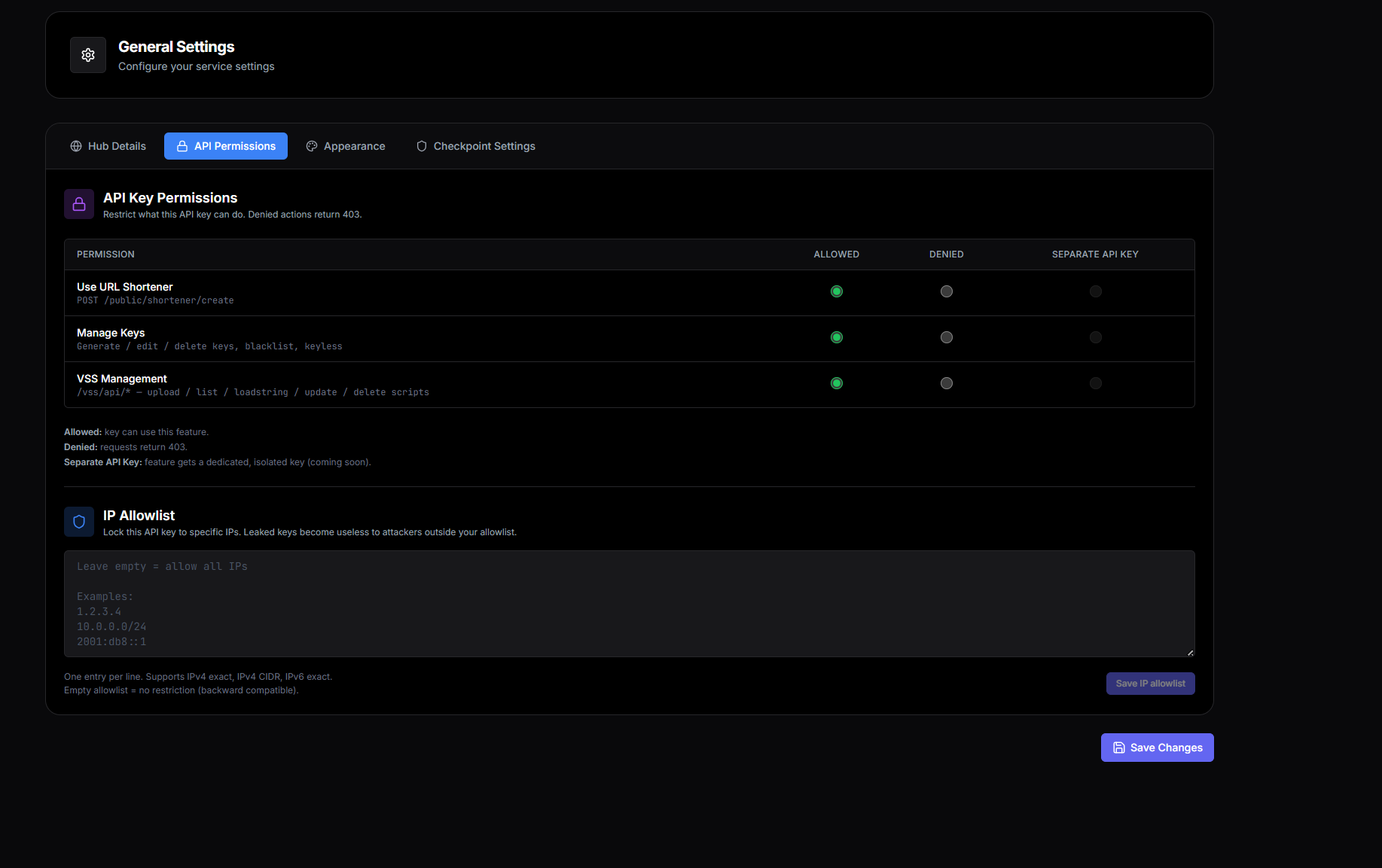
Why scope your API key
A typical Panda Auth service's API key can do a lot — generate keys, edit existing keys, upload Kryptic Vault scripts, create shorteners. If that key leaks (accidentally committed to a public GitHub repo, posted in a Discord support channel, embedded in client-side code that ships to users), whoever finds it can do all those things against your service.
API Permissions and IP Allowlist are your defense. With both configured tightly, even a leaked key gives the attacker almost nothing useful.
The three permissions
Each API key has three independent permission flags:
allowUrlShortener— gatesPOST /public/shortener/create. Default: allowed.allowManageKeys— gates mutating/keys/api/*routes (generate, edit, delete, keyless, webhook, Discord). Default: allowed.allowVss— gates/vss/api/*(upload, list, loadstring, update, delete). Default: allowed.
Read-only routes aren't gated
Read permissions
GET /api/v1/services/:id/permissions
{
  "success": true,
  "data": {
    "allowUrlShortener": true,
    "allowManageKeys": true,
    "allowVss": true
  }
}
Update permissions
PATCH /api/v1/services/:id/permissions
{
  "allowUrlShortener": false,
  "allowVss": true
}
Denied response
When a key lacks a permission, the action returns:
{
  "success": false,
  "error": "This API key is not permitted for this action (allowVss)"
}
IP Allowlist
The IP Allowlist restricts which addresses can use your API key. When you add IPs to the allowlist, requests from any other address are rejected — even if they have the correct key.
The allowlist accepts:
- Exact IPv4 addresses —
1.2.3.4 - CIDR ranges —
10.0.0.0/24for a whole subnet
Why IP Allowlist matters
Recommended security setup