For Developers · Dashboard
Page Builder
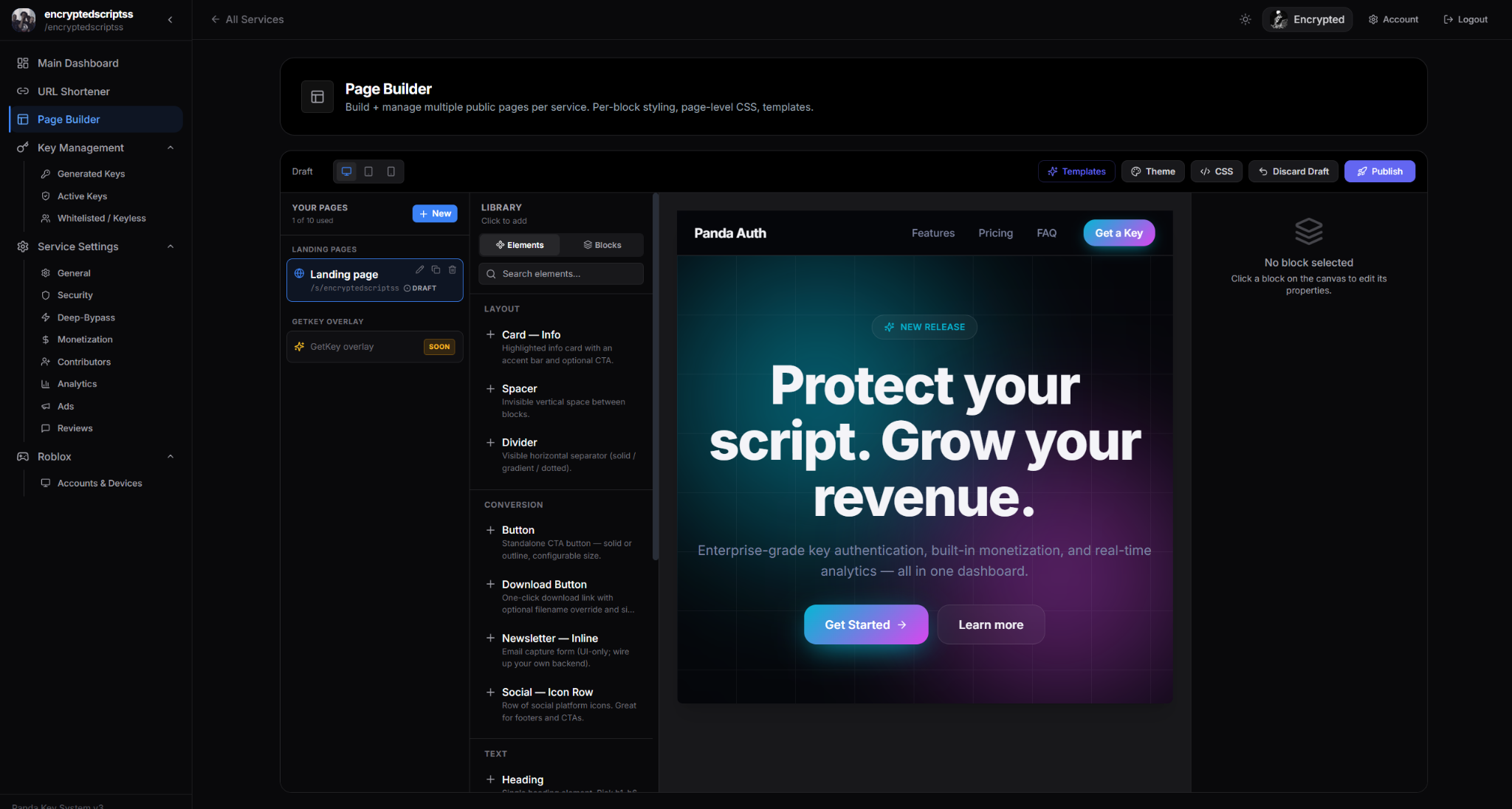
Page Builder is a bonus feature — a drag-and-drop builder you can use to assemble your own landing page for your service, the same way you would with a web builder like Webflow or a no-code site builder. Use our pre-made components, arrange them visually, and publish. Your service gets a polished marketing-style landing that lives alongside its get-key flow.
What it's for
Most services only have a get-key page. That works, but it skips a step — a real landing page where you can pitch what your software does, show off screenshots, link to community channels, and direct visitors into the get-key flow on their own terms.
Page Builder fills that gap. Drop in headers, hero sections, image galleries, feature lists, testimonials, CTA buttons, and footer content. Style them with our preset themes or customize colors per block. When you publish, the page is live at your service's landing route and visitors see a real site instead of just a key gate.
When to use it
- You have multiple scripts or features and want to showcase them properly instead of cramming everything into the get-key page header.
- You are running paid offerings and need a real sales page that converts visitors into buyers before they hit the key flow.
- You want to look professional when your link is shared in Discord previews, on social media, or in YouTube descriptions. A landing page renders much better in link previews than a bare get-key URL.
If your service is small and one-script-focused, you can skip Page Builder entirely — the standard get-key page is enough. Page Builder is additive, not required.
How it works
Page Builder is a visual editor. You drag pre-built blocks from a sidebar into the canvas, rearrange them by dragging, and edit text and images inline. Each block is themed to match the rest of your dashboard styling so the result feels consistent with your Appearance settings.
Publishing happens with one click. The page goes live at your service's landing URL — visitors who land there see the page you built; clicking through to the get-key flow takes them to the standard checkpoint experience.
Bonus feature, not a replacement